Appliance Tracker
Scan the nameplate, get the manual, see recall checks, and keep every appliance's records in one place.
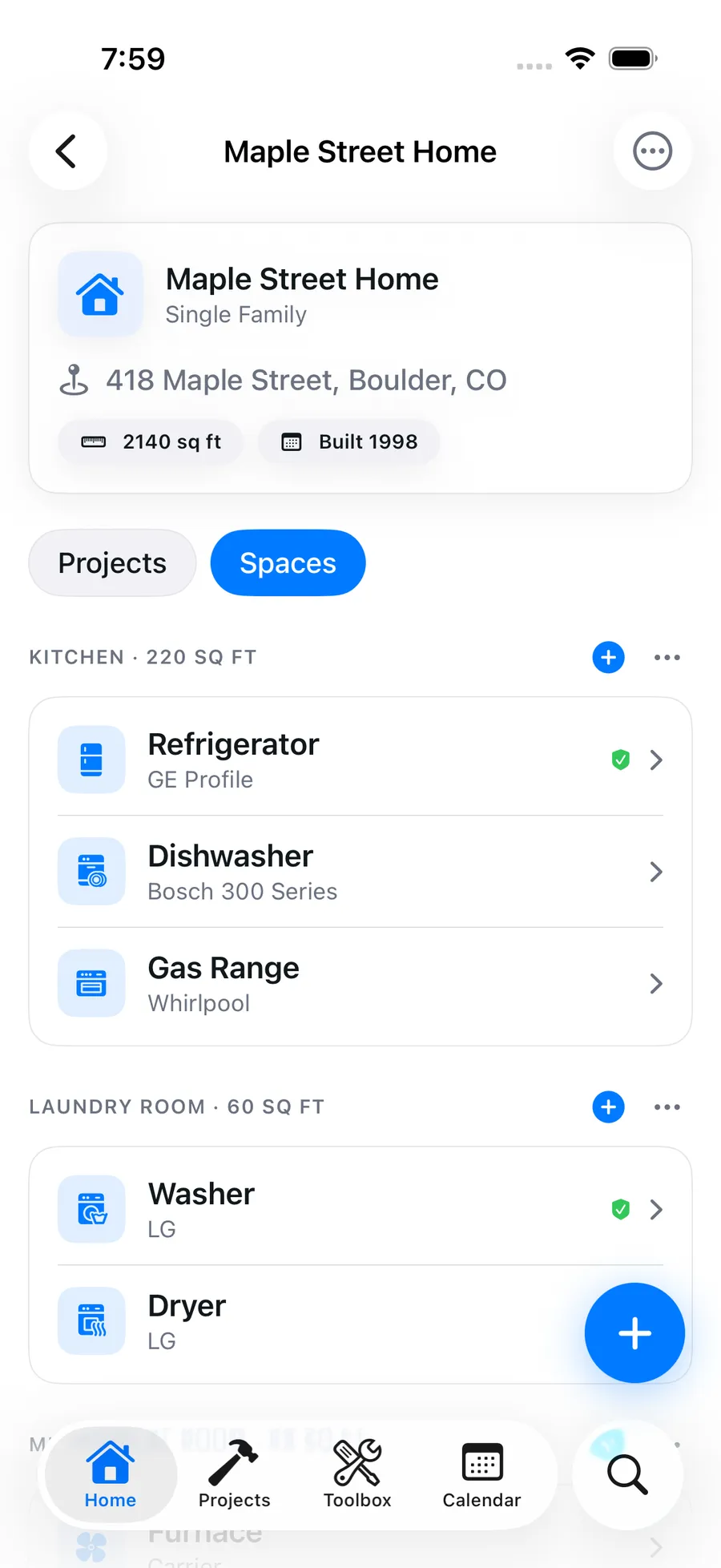
Every appliance in your house has a model number, a manual, a warranty and a maintenance routine, and almost nobody can find any of them when it matters. Blueprint keeps them on the appliance: scan the nameplate to fill in the details, let Blueprint find the manual, and check the appliance daily against CPSC recalls.
Why it matters
Scan the nameplate
Photograph the data plate and Blueprint reads brand, model and serial into a draft you confirm. Included in Pro with no scan quota, on web and iOS.
Manuals you can ask
Blueprint looks up the owner's manual from brand and model, then answers questions from it, like what the error code means or which filter fits. It also suggests parts for the model. Most models are found; not every one.
Recall checks on the appliance
Appliances are checked daily against CPSC recalls, matched on brand plus model, and any match shows on the appliance's page.
Warranties, maintenance and a PDF
Keep purchase and warranty details with the appliance, confirm a suggested maintenance schedule for it, and export an insurance-ready PDF home report on web and iOS.
How it works
- 01
Add your appliances
Scan a nameplate, type the details in, or on the web import your Centriq CSV export into a property. Every draft waits for you to confirm it.
- 02
Let Blueprint fill in the rest
Saving an appliance starts a manual lookup and a suggested maintenance schedule, and adds it to the daily recall check.
- 03
Use it when something breaks
Open the appliance to find the model, serial, warranty, manual and parts, ask the manual a question, or export the whole home as a PDF.
Appliances FAQ
How does the nameplate scan work?
Take a photo of the appliance's data plate. Blueprint reads the brand, model and serial into a draft, and you review and confirm it before anything is saved. It is included in Pro on web and iOS with no separate scan quota.
Will Blueprint find my appliance's manual?
Usually. It searches for the owner's manual from the brand and model, and once found you can ask questions answered from the manual. It covers most models but not every one; you can always attach a manual yourself.
Does Blueprint check my appliances for recalls?
Yes. Appliances are checked daily against CPSC recalls, matched on brand plus model, and any recall found is shown on that appliance. Matching is cautious to avoid false alarms, so confirm the model on the recall notice before acting on it.
Can I import my appliances from Centriq?
Yes, on the web. Upload your Centriq CSV export on a property's page, preview it and import. Each row becomes an appliance, and Blueprint suggests maintenance for each one that you confirm. Import is not yet in the iOS app.
How much does it cost?
The appliance tracker is part of Blueprint Pro at $7.99 a month or $49.99 a year (which works out to $4.17 a month), with a 7-day free trial on the annual plan.
More of what Blueprint tracks
How Blueprint compares
Get started
Your house deserves a set of drawings.
Start your free trial, add your home, and let Blueprint draft the first plan tonight.
Start your free trial7-day free trial on annual plans. Cancel anytime.