Home Project Tracking
Every project, every step, and one honest answer to "where does this stand?"
Home projects stall in the gap between the idea and the next concrete step. Blueprint keeps each project as a living checklist with its materials, tools and budget attached, so picking the work back up on a Saturday takes seconds, not an hour of remembering. Progress is computed from the steps you actually check off, never from a guess.
Why it matters
One list for everything in flight
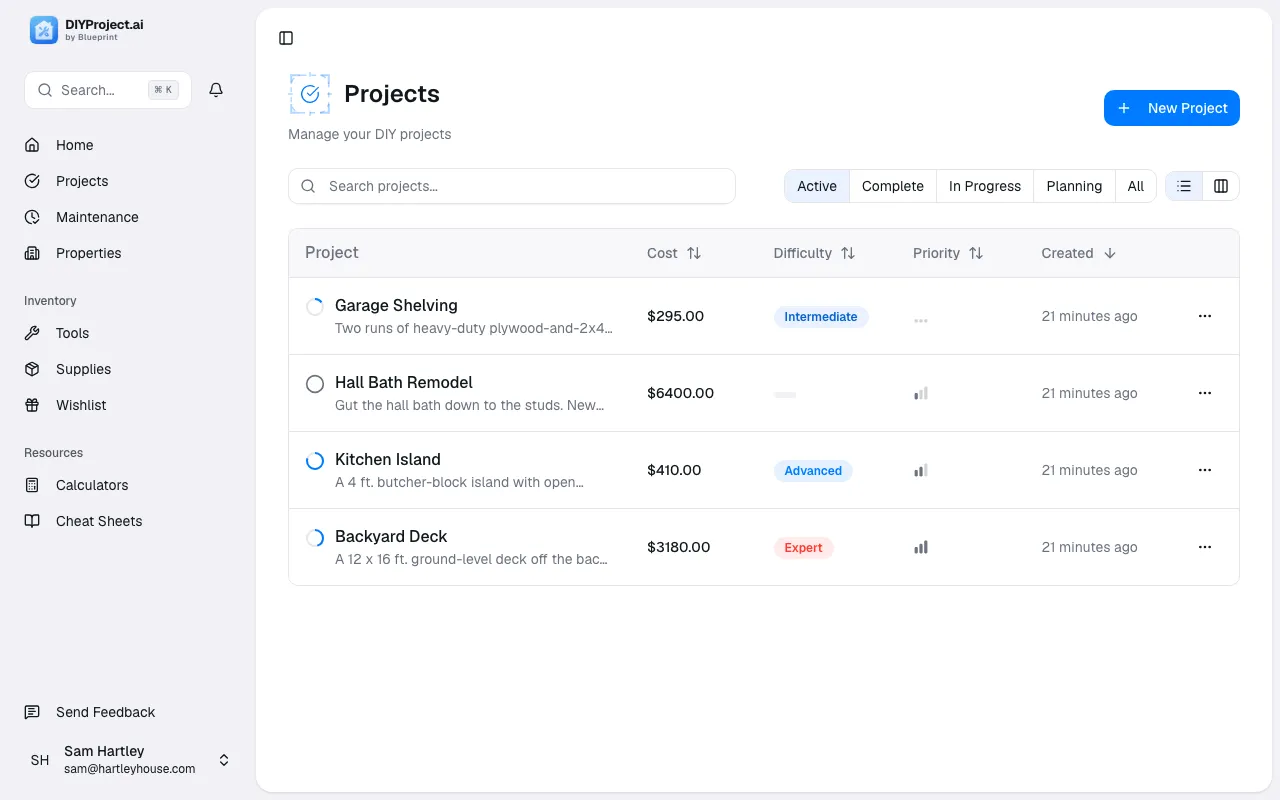
Every project sits in one place with a status and a completion percentage, so the bathroom regrout and the deck stain stop living in three notes apps and your head.
Steps you can actually check off
Each project breaks into concrete steps. Check one off and the progress bar moves, which is a surprisingly effective way to keep a two-month project from dying at 40 percent.
Materials, tools and budget attached
The shopping list, the tools the job needs and the running cost live on the project itself, so the hardware store trip and the money conversation both start from real numbers.
Web and iPhone, one account
Plan at a desk, work from your phone. Blueprint runs on the web and in a native iOS app, and a step checked off in the garage shows up everywhere.
How it works
- 01
Create the project
Describe what you want to do and let Blueprint's AI draft the full step-by-step plan, or build the checklist yourself for a job you already know cold.
- 02
Work the steps
Check steps off as you go. Completion recomputes from what is actually done, and the dashboard rolls every project up so you can see the whole house at a glance.
- 03
Close it out
Log what you spent against the estimate, mark the project done, and it joins the permanent history for that property.
Project tracking FAQ
Is there a limit on how many projects I can track?
No. The Pro plan includes unlimited projects, properties and maintenance schedules for $7.99 a month or $49.99 a year, with a 7-day free trial on the annual plan.
Do I have to use the AI to create a project?
No. You can build any project by hand with your own steps, materials and budget. The AI planner is there when you want a full draft to start from, and Pro includes 10 AI plans a month.
Can I share projects with my partner or family?
Yes. A Blueprint workspace supports up to 5 members, and everyone sees the same projects, steps and progress. Whoever checks off the step gets the credit.
Can I track projects across more than one property?
Yes. Each project belongs to a property, and Pro supports unlimited properties, so a rental or a cabin gets its own project history separate from your main home.
Does it work on my phone?
Yes. Blueprint has a native iOS app built in SwiftUI alongside the web app. One account covers both, so the plan you wrote at a desk is the checklist in your pocket.
More of what Blueprint tracks
How Blueprint compares
Get started
Your house deserves a set of drawings.
Start your free trial, add your home, and let Blueprint draft the first plan tonight.
Start your free trial7-day free trial on annual plans. Cancel anytime.