Property Records
Rooms, appliances, manuals, recall checks and the full history of every home you own, in one record you can export as a PDF.
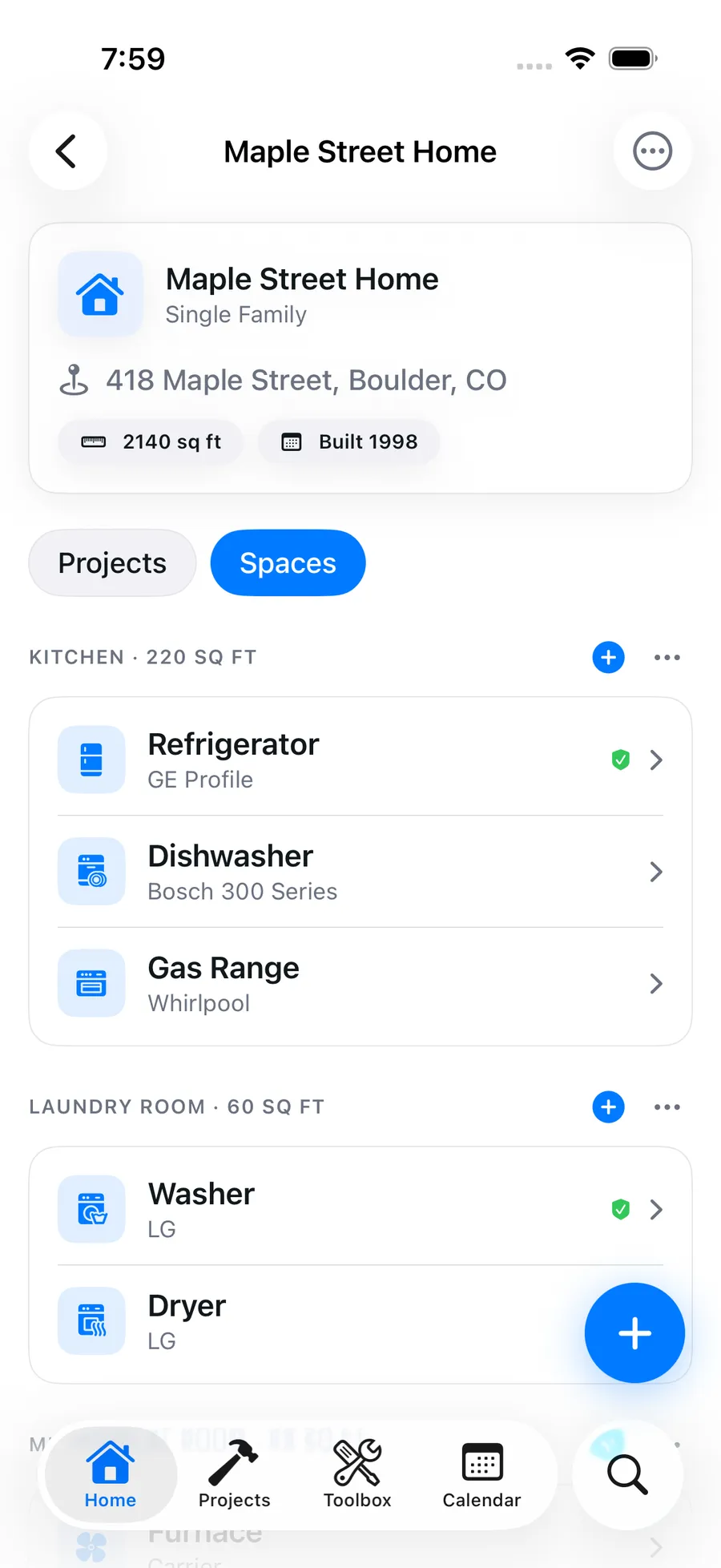
The furnace model number, the paint color in the hallway, the year the roof was done: a house generates facts for decades and stores them nowhere. Blueprint gives each property a record with its rooms and spaces, its appliances with details and photos, and the running history of every project and maintenance task done to it.
Why it matters
The house, mapped
Break each property into its rooms and spaces, so projects, appliances and notes attach to "upstairs bathroom" instead of floating loose.
Appliances with their facts
Photograph the nameplate and Blueprint fills in brand, model and serial as a draft you confirm. It then finds the owner's manual and checks the appliance daily against CPSC recalls, showing any match right on the appliance.
A report you can hand over
Export an insurance-ready PDF of the home with its appliances, serial numbers, photos and maintenance history, on web and iOS. Useful for an insurer, a buyer or your own files.
History that writes itself
Every project you finish and every maintenance task you complete lands in that home's history automatically. The record grows from the work, not from data entry.
Every property, separately
A rental, a cabin and your own house each get their own record, schedules and history. Pro supports unlimited properties under one account.
How it works
- 01
Add your property
Create the home in Blueprint and sketch out its rooms and spaces. Add more properties any time; each keeps its own record.
- 02
Record what's in it
Scan each appliance's nameplate, or on the web import a Centriq CSV export in one upload. Review each draft before it is saved; the manual lookup and recall checks start from there.
- 03
Let the history accumulate
As you complete projects and maintenance in Blueprint, they attach to the home. Over time the property record becomes the honest answer to what has been done to this house.
Property records FAQ
What should I keep in a home record?
Start with the things you look up under stress: appliance models and serial numbers, photos of what's behind panels and walls, and the rooms each thing lives in. Blueprint then adds the project and maintenance history on its own as you use it.
Can I manage more than one property?
Yes. Pro includes unlimited properties, each with its own rooms, appliances, maintenance schedules and project history, all under one account.
Does a maintained record help when selling?
A documented history of maintenance and improvements answers the questions buyers and inspectors actually ask, with dates. It's the difference between claiming the house was cared for and showing it.
Can I attach photos?
Yes. Properties and appliances take photos, which is the fastest way to capture a data plate, a paint can lid or the shutoff valve you'll otherwise hunt for in a panic.
Can it scan an appliance nameplate?
Yes. Photograph the data plate and Blueprint reads brand, model and serial into a draft you review and confirm. It is included in Pro with no separate scan quota, on web and iOS.
Does it check my appliances for recalls?
Yes. Blueprint checks your appliances daily against CPSC recalls, matched on brand plus model, and shows any recall it finds on that appliance's page. It is a check you can see in the app, not a guarantee every recall will be caught, so confirm the model on the recall notice.
Can I export my home records as a PDF?
Yes. On web and iOS you can export an insurance-ready PDF home report with your appliances, serial numbers, photos and maintenance history.
Can I import my records from Centriq?
Yes, on the web. Upload your Centriq CSV export on a property's page, check the preview and import. Photos and receipts were never in Centriq's export, so add those yourself.
Can my whole household use it?
Yes. A workspace supports up to 5 members, so everyone in the house works from the same property record instead of one person's memory.
More of what Blueprint tracks
How Blueprint compares
Get started
Your house deserves a set of drawings.
Start your free trial, add your home, and let Blueprint draft the first plan tonight.
Start your free trial7-day free trial on annual plans. Cancel anytime.